Chrome Extension · MV3 · Local-first

Open bookmarks into organized tab groups.

Tab Bookmark Grouper turns a bookmark folder into a clean Chrome tab group, groups messy open tabs by domain, and exports supported sessions to local files.

1-click
bookmark grouping
Local
no external servers
Undo
domain grouping
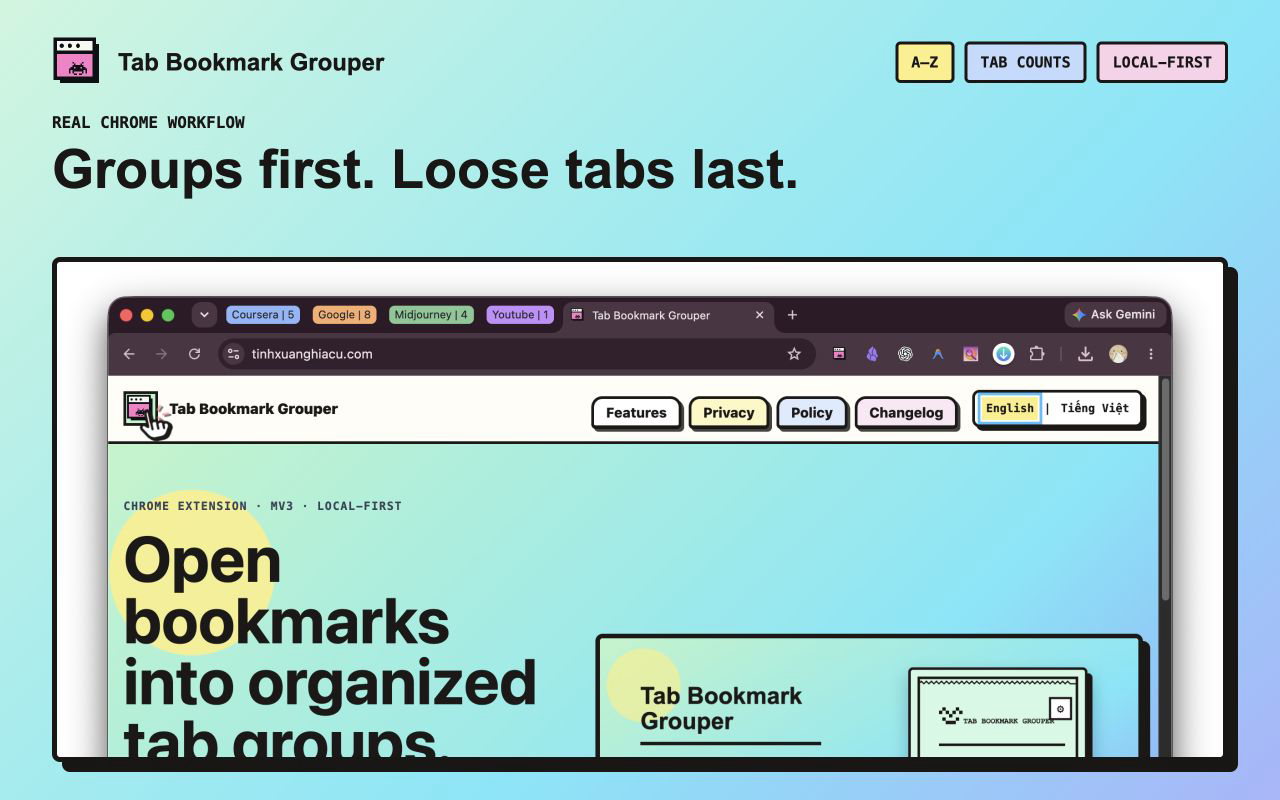
A real Chrome window showing alphabetized tab groups with visible tab counts.
Select folder Open tabs Create group Stay focused

Built for tab-heavy work

Everything useful, nothing noisy.

01

Open and group bookmark folders

Select one Chrome bookmark folder and open its links as a named, color-coded tab group.

02

Group current tabs by domain

Collect related tabs from the same root domain, show tab counts, alternate group colors, sort groups alphabetically, and collapse every group except the active one.

03

Undo domain grouping

Try grouping without fear. The button switches to undo mode after grouping so you can reverse the latest grouping pass.

04

Export and import supported sessions

Save supported windows, tabs, and tab groups to a local BTG file and restore them later with validation.

Actual extension interface

One compact control center.

Open bookmark folders, group current tabs by domain, and export or import supported sessions from one focused popup.

The actual Tab Bookmark Grouper popup with bookmark, domain grouping, export, and import controls.

Privacy model

Offline by design.

No external servers

Bookmark, tab, and session data are processed on your device.

No analytics

The extension package does not include tracking SDKs or telemetry code.

User-controlled files

Session exports are created only when you choose to download a BTG file.

Install

Ready for your Chrome workspace.

Install Tab Bookmark Grouper from the Chrome Web Store, or review the source on GitHub.